FirstMagic User Guide: the Libray
|
The Library contains all system files - the resources your website is generated from. Edit it to modify how the site works, what it looks like, and how your visitors experience it.
Everything in the Library is configured to work out-of-the-box; there is nothing you need to change. But some things are very easy to change, and can be extremely useful.
Start by replacing the Logo: upload your own header graphic or organization´s Logo to the Library root, and either write its filename into the Site Setup panel in Setup or simply replace the logo example here [delete it and give your own logo its filename].
You can also replace the FavIcon [the tiny website icon in a web browser´s Address Bar]: make your own with an online FavIcon generator, and replace the default FirstMagic FavIcon with the result.
|
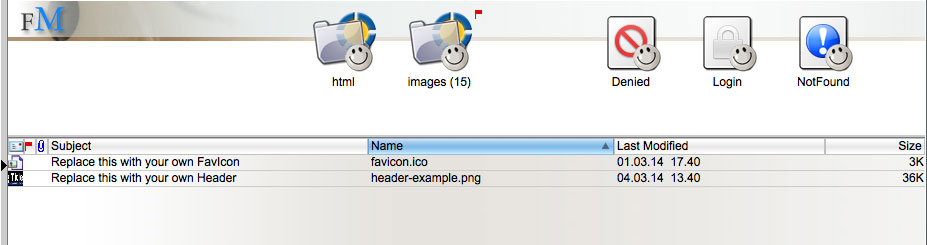 Use the Library [and its sub-containers] to store images, graphics, HTML code and any other resources you have that will not fit in a publishing container. Use the Library [and its sub-containers] to store images, graphics, HTML code and any other resources you have that will not fit in a publishing container. |
Overview of the Library files
favicon.ico |
The Bookmark Icon for your website in web browsers. |
header-example.png |
The Header or Logo for your website. |
Denied |
The web page a visitor will get if encountering something that is disallowed. You can author this document just like a regular FirstClass document: it supports rich text, tables, images and literal html. |
Login |
The web page a visitor will get if trying to access something protected by a password. Like above, it is a FirstClass document that supports rich content. |
NotFound |
The web page a visitor will get if arriving at an URL that does not exist. Like above, it supports rich content. |
Overview of the HTML folder
aftercontent.inc |
A SHTML document that will inject code right before the closing </body> tag on all pages of your website. |
beforecontent.inc |
A SHTML document that will inject code right after the opening <body> tag on all pages. |
FMskin.css |
Custom FirstMagic Skin example: activate it by setting the SkinDesigner in Setup to CSS. |
metadata.inc |
A SHTML document that will inject code into <head></head> on all pages. |
terms.inc |
Custom website terms: if "Automatic" is turned off in Setup, these terms will replace all language-specific, hard-coded terms on the website. |
Overview of the Images folder
Built-in Backdrops |
Example background images for the SkinDesigner Preset 4. You can add to or replace them, but should not delete them. |
Built-in Cover Arts |
Default Audio and Video Cover Art for PodCasts. You can add to or replace them, but should not delete them. |
Default Tile Icons |
Default Tile Icons for various object types: replace them with ones of your own preference. |
Note: if you replace default graphics in the Images container, you must retain their file names, and replacements must be in the same format [PNGs for icon graphics and JPG for background graphics]. Do not delete anything without uploading replacements. |
|
|

