Which publishing templates are available depends on what kind of layout you are working in at the moment, but you will always find an appropriate one in the FirstMagic toolbar.
The default template is Webpage, which will produce a normal document you can fill with rich text, tables and images - it works just like any other Word Processor or Office package.
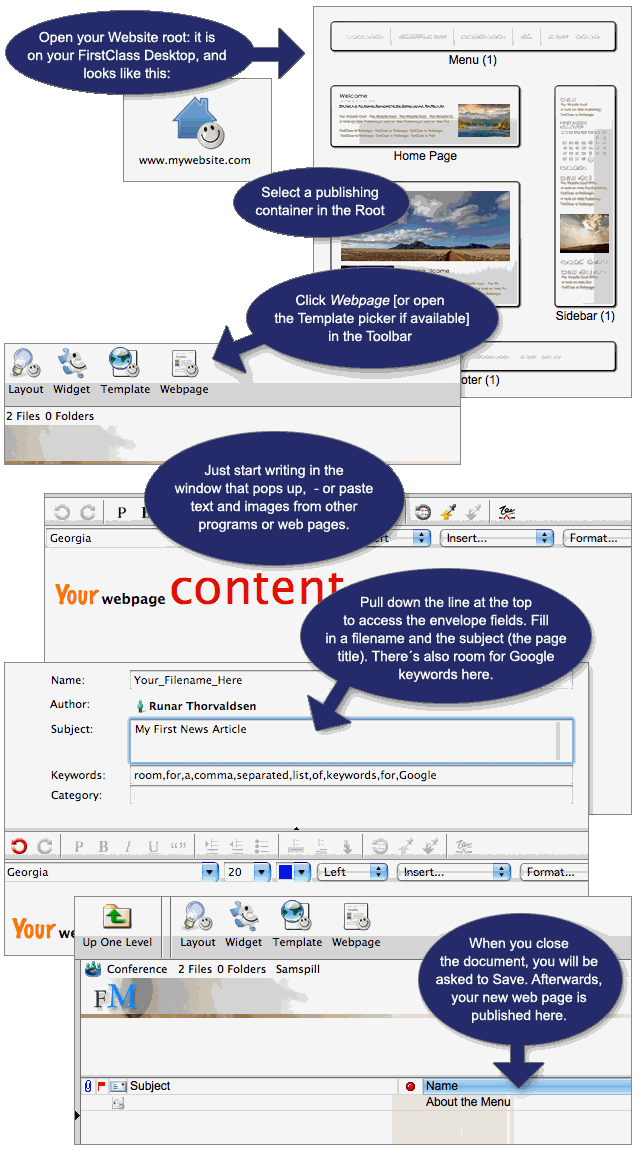
Example: how to publish a webpage
- Open the container were you want to create a page
- Click an icon in the toolbar for a new webpage or template
- Fill in the envelope [the meta fields]
- Write or paste something in
- Close and save
|