FirstMagic User Guide: Widgets

Widgets are tiny, self-contained web applications - Apps for your website. FirstMagic ships with a Widgets picker and a number of pre-installed Widgets on all new sites.

Widgets are one-click ways to install third-party functionality on to your pages: Facebook and Twitter buttons, DisQus commenting functions, Google Maps, Google Translate, etc: browse the Widgets picker in your Website Root containers to see what is available.

FirstMagic Widgets can be published in four different locations:
  • The Header [Menu in the Website Root]
  • The  Sidebar [in the Website Root]
  • The  Footer [in the Website Root]
  • The Digital Signs Sidebar [drop Widgets onto the Calendar Icon]. Note that not all Widgets are usable in a Sign - for example, it makes little sense putting a Facebook Like button on a Digital Sign since there will be no way to click on it.

The Widget Picker
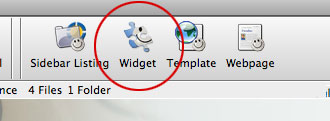
Click the toolbar Widget Picker to install Widgets. Double-clicking in the list that pops out will install them right into your open window, ready for use.

Some Widgets are fully automatic, while some requires configuration, or have optional extras. To configure one, or to get more information about one, just open it [double-click it in the container list].

You can turn each Widget On/Off just like any other FirstMagic object. They can also be context-sensitive.

You can have multiple instances of the same Widget running on the same page - for example, two different Weather reports.

Widgets will not be displayed in the Mobile Interface.